Mahjong136 - Tutorial(遊戲教學)

Mahjong136 是一款支援區域網路(LAN)與藍牙(MultipeerConnectivity)多人對戰的輕快麻將 App。設計理念是拿掉花牌與繁瑣算台,讓新手也能快速上手,專注於對戰節奏與 Apple Game Center 排行榜競逐。
Mahjong136 is an easy-to-learn Mahjong game with multiplayer over Local Network (LAN) or Bluetooth (MultipeerConnectivity). With no flower tiles and no complicated scoring, players can focus purely on outplaying opponents and climbing the Game Center leaderboards.
📌 遊戲設計重點(Notes)📌 Quick Notes
- 專為麻將新手打造的直覺介面與教學流程。
- 支援 1–4 人透過區域網路或藍牙(MultipeerConnectivity)連線對戰。
- 多人模式可自訂局數、思考秒數等規則,對戰更刺激。
- 累積分數與湊出特定牌型可解鎖 Game Center 成就。
- 新手輔助機制:當玩家分數低於 300 分時,可開啟檢視其他玩家手牌的輔助功能。
- Beginner-friendly Mahjong design with a built-in interactive tutorial.
- Supports 1–4 players over Local Network (LAN) or Bluetooth (MultipeerConnectivity).
- Configurable multiplayer rule options for custom party play.
- Earn Game Center achievements through score milestones and special tile combinations.
- Assist feature: when a player's score drops below 300, they can view another player's tiles.
🀄 牌組介紹(136 張牌結構)🀄 Tile Suits (136 Tiles)
萬子(Character)Character Suit
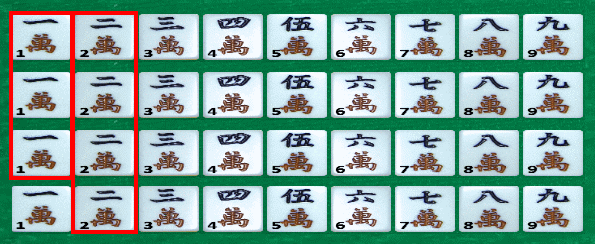
一萬到九萬各 4 張。可組成的有效牌型包含:對子 (1,1)…(9,9)、刻子 (1,1,1)…(9,9,9)、槓子 (1,1,1,1)…(9,9,9,9),以及順子 (1,2,3)…(7,8,9)。
4 sets of Character tiles numbered 1 to 9. Valid melds: Pair (1,1)…(9,9), Pung (1,1,1)…(9,9,9), Kong (1,1,1,1)…(9,9,9,9), and Chow (1,2,3)…(7,8,9).
筒子(Dot)Dot Suit
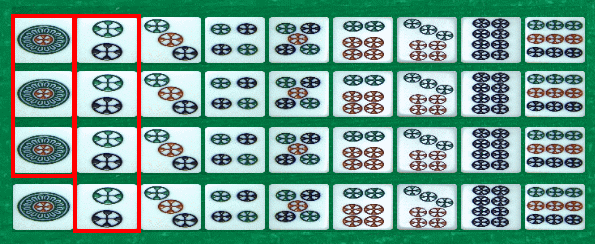
一筒到九筒各 4 張,同樣支援對子、刻子、槓子與順子組合。
4 sets of Dot tiles numbered 1 to 9, supporting Pairs, Pungs, Kongs, and Chows.
條子(Bamboo)Bamboo Suit
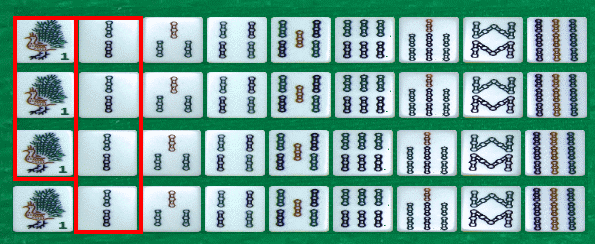
一條到九條各 4 張,同樣支援對子、刻子、槓子與順子組合。
4 sets of Bamboo tiles numbered 1 to 9, supporting Pairs, Pungs, Kongs, and Chows.
風牌與三元牌(Wind & Dragon)Wind & Dragon (Honor Tiles)
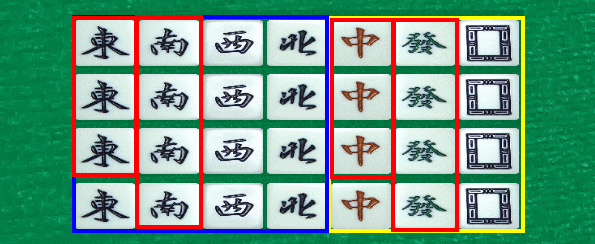
包含四風牌(東、南、西、北)與三元牌(中、發、白)各 4 張。字牌無法吃牌成順子,只能組成對子、刻子或槓子。
4 copies of each honor tile—Winds (東, 南, 西, 北) and Dragons (中, 發, 白). Honor tiles form Pairs, Pungs, and Kongs only (no Chows).
🎯 胡牌、吃碰槓與計分流程🎯 Gameplay Walkthrough: Winning, Calls & Scoring
1. 胡牌條件(How to Win)1. How to Win
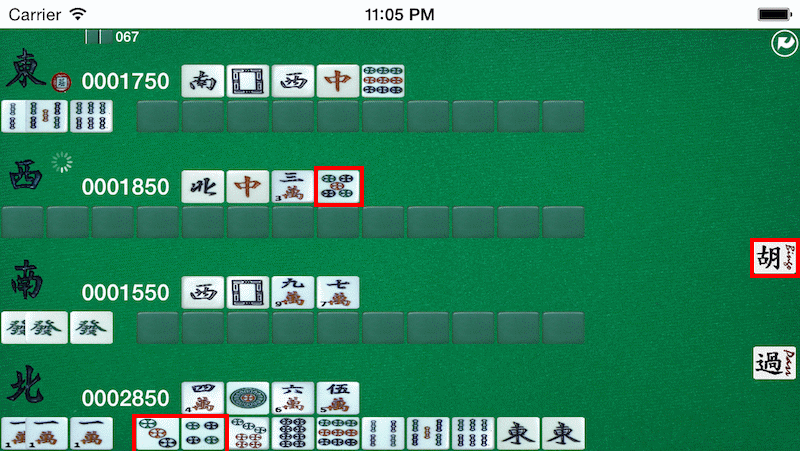
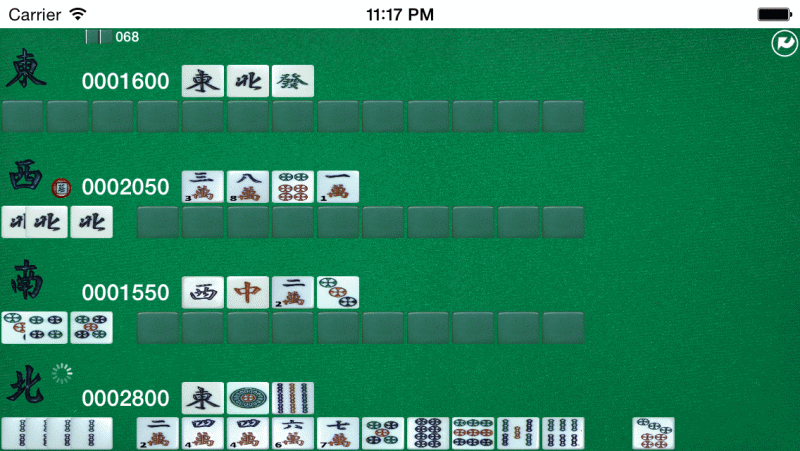
最多支援 4 人同桌,每位玩家起手 13 張牌,透過輪流摸牌與捨牌湊齊「4 組面子 + 1 組對子」(或七對子)即可胡牌。例如下圖中,西家打出五筒,正好是你(北家)聽的關鍵牌,按下 胡(Hu) 即可結束該局並獲得分數。
Each player starts with 13 tiles and wins by completing 4 melds + 1 pair (or 7 pairs). In the example below, Player 西 discards the 5 of Dots—the exact tile you (北) are waiting on—allowing you to tap Hu (胡) to win the round.
2. 開局與返回主選單2. Starting a Round & Menu
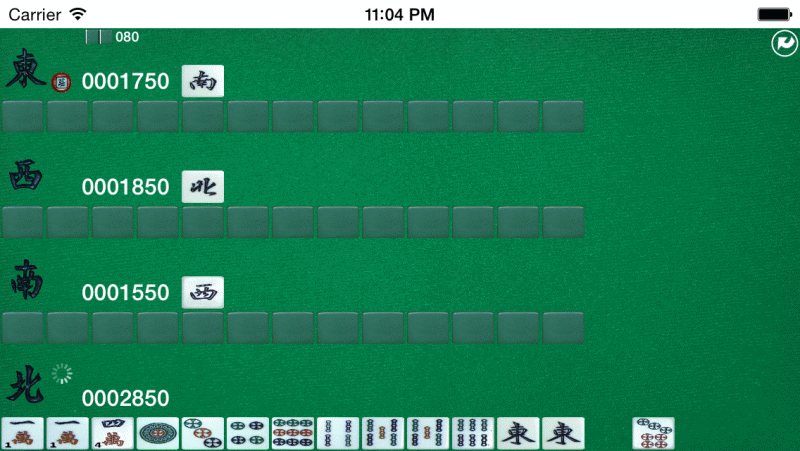
點擊右上角圖示可隨時回到主選單。下圖開局示範中,東家為莊家,你(北家)起手持有七筒,可參考標示區域逐步湊出順子、刻子與對子。
Tap the top-right icon anytime to return to the main menu. Here, East (東) is the dealer and you (北) hold the 7 of Dots; follow the highlighted areas to build Pungs, Chows, and a pair.
 游標移入或點擊圖片可切換標示對照
3. 碰牌(Pung)3. Pung (碰)
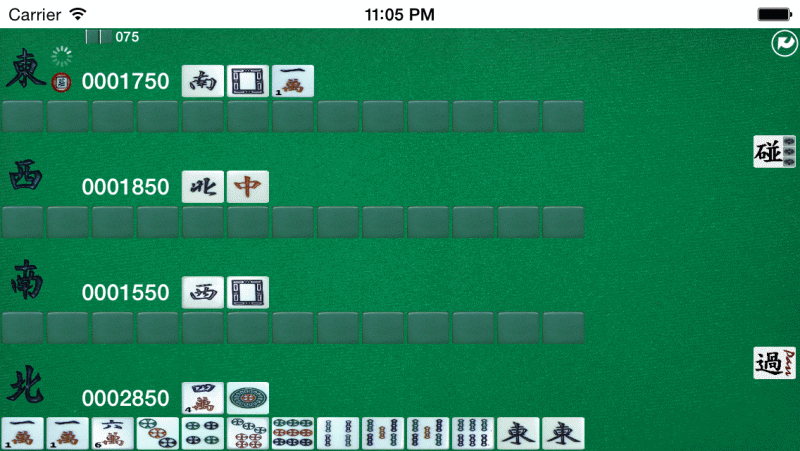
當其他三家打出與你手中對子相同的牌時,可選擇「碰」湊成刻子並捨出一張牌(例如打出一萬)。喊碰固定後的牌組不能再更改。
Claim a matching discard from any other player to form a triple, then discard a tile (such as the 1 of Characters). Claimed melds are locked in for the rest of the round.
 游標移入或點擊圖片可切換標示對照
4. 進入聽牌(Ready Hand)與胡牌4. Ready Hand (聽牌) & Winning
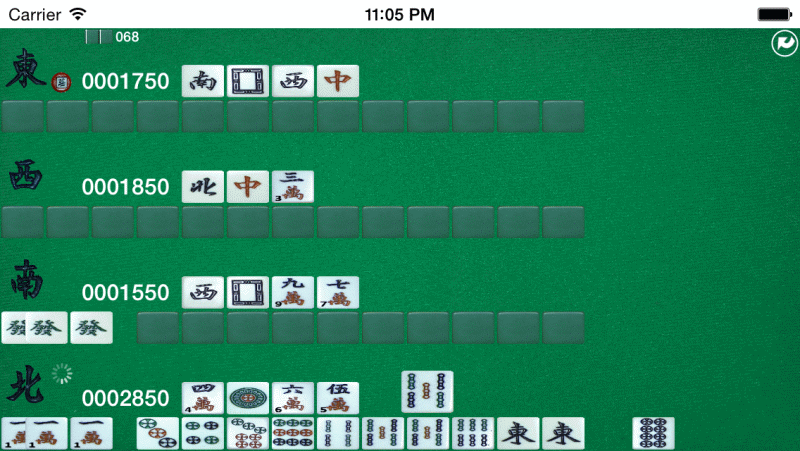
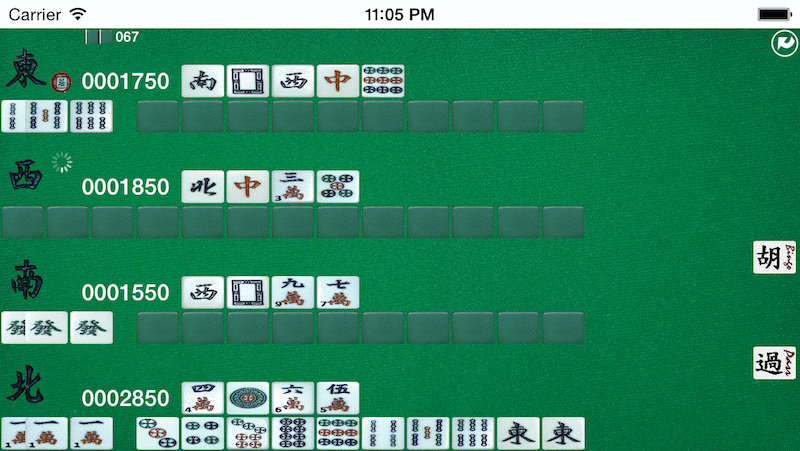
摸進八筒完成 (7,8,9) 順子後捨出五條,即進入聽牌狀態:手牌包含一組刻子 (1,1,1)、三組順子 (3,4,5)、(7,8,9)、(4,5,6) 與一對東風。接下來只要他人打出或自己摸到胡牌張即可胡牌。
Drawing the 8 of Dots completes (7,8,9); discarding the 5 of Bamboos puts your hand into Ready Hand (聽牌) with Pung (1,1,1), Chows (3,4,5), (7,8,9), (4,5,6), and pair (東,東).
 游標移入或點擊圖片可切換標示對照
5. 計分結算(Scoring)5. Scoring
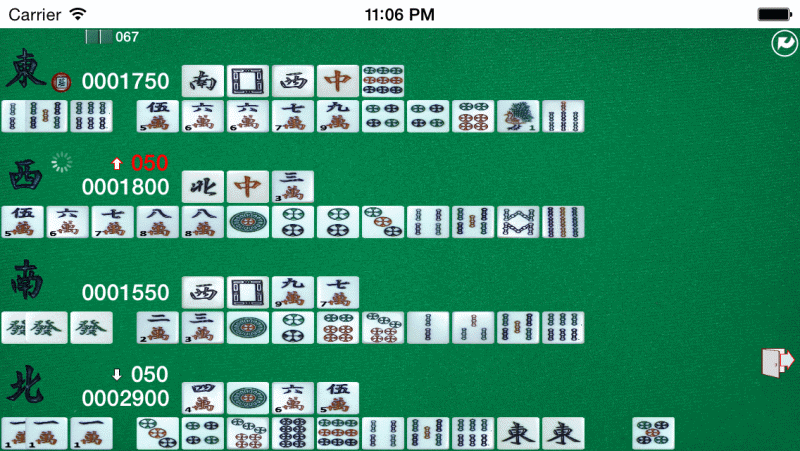
圖中項目說明:#4 你(北家)胡西家牌獲得 +50 分;#3 放槍的西家扣 50 分;#2(莊)代表莊家,若胡牌或放槍者為莊家則額外加減 50 分;#1 顯示牌牆剩餘張數(降至 10 張流局);#5 進入下一局。
#4 You (North) gain 50 points by claiming West's discard. #3 West loses 50 points. #2 (莊) marks the dealer, adding ±50 points if the dealer wins or deals in. #1 shows remaining wall tiles (draw at 10). #5 moves to the next round.
 游標移入或點擊圖片可切換標示對照
6. 吃牌(Chow)— 單一組合與多重選擇6. Chow (吃) — Single & Multiple Combinations
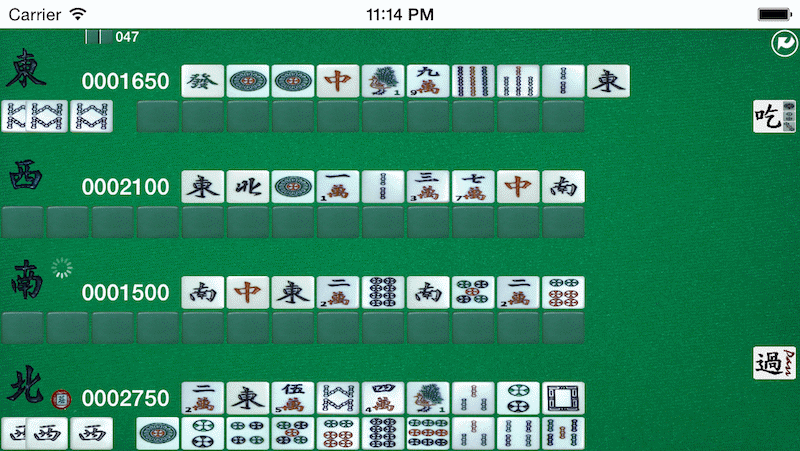
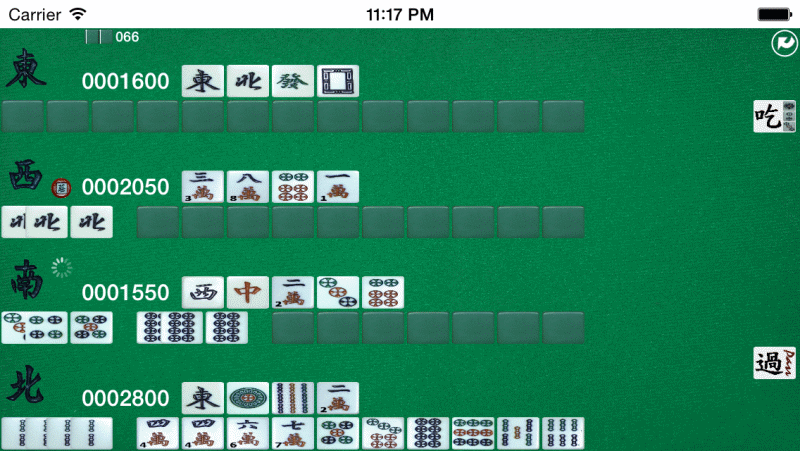
只能吃「上家(左手邊玩家)」打出的牌來湊成順子;若不想吃碰槓可按「過(Pass)」。當手牌同時有不只一種吃法時(例如下家打出六筒,手上有 5、7、8 筒),點選「吃」後可自由選擇組成 (5,6,7) 或 (6,7,8),選好後再打出一張牌。
Only the player to the discarder's left can claim a tile to Chow (or tap Pass / 過 to skip). When multiple sequences are possible—such as claiming a 6 of Dots to form either (5,6,7) or (6,7,8)—pick your preferred pair tile, then discard one tile.
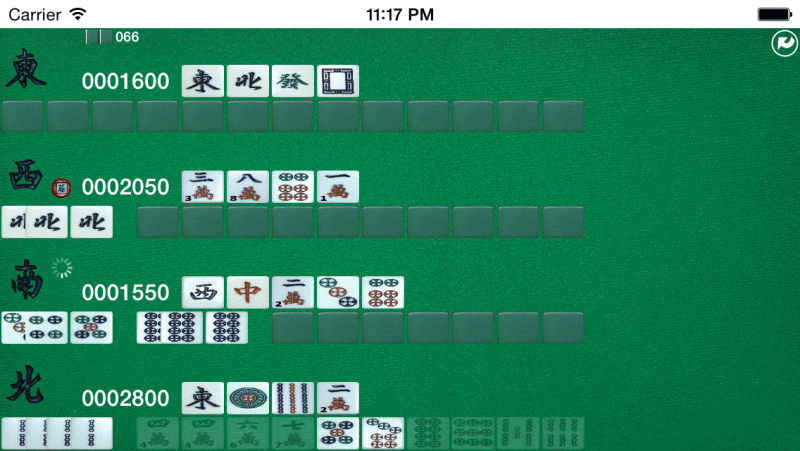
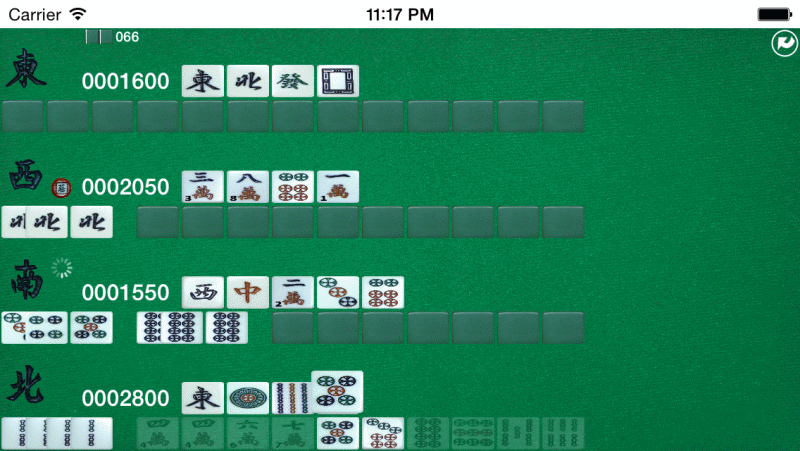
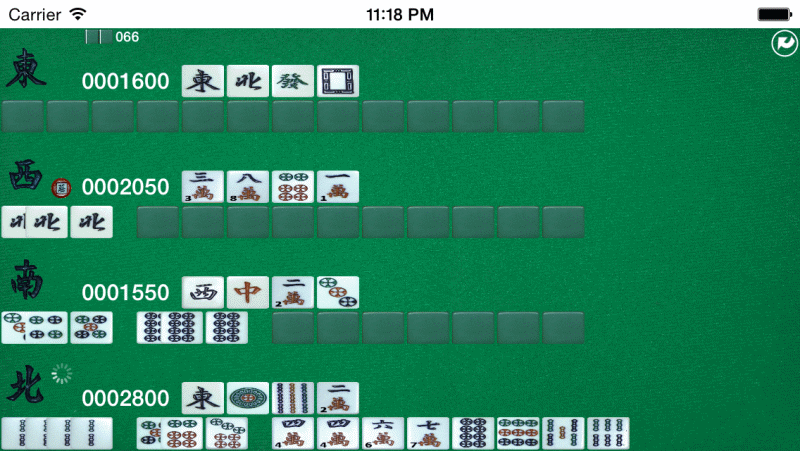 游標移入或點擊各步驟圖片可切換標示對照
7. 槓牌(Kong)7. Kong (槓)
手中有三張相同牌時若別人打出第四張,或自己摸進第四張相同牌即可宣告槓牌;完成槓牌後系統會自動補摸一張牌。想與好友一較高下,別忘了登入 iOS Game Center 挑戰高分與成就!
Form a Kong by claiming a fourth matching discard or adding a fourth tile you drew yourself; after declaring a Kong, you draw one replacement tile. Sign in to iOS Game Center to compete on leaderboards and unlock achievements!
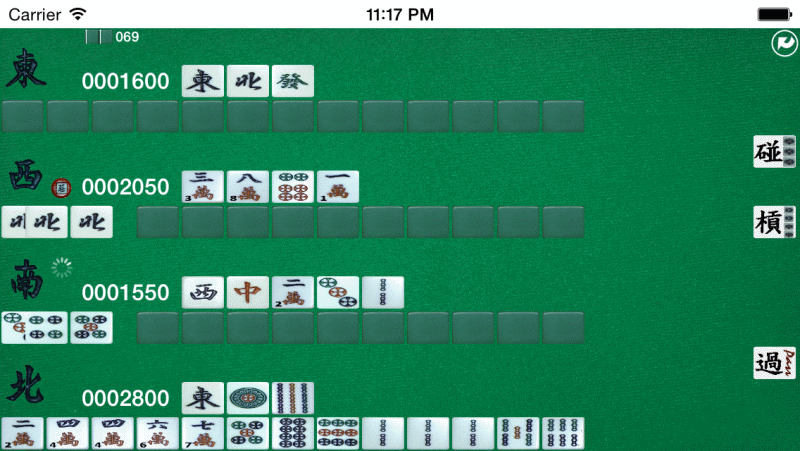
 游標移入或點擊圖片可切換標示對照