MJ Party - Tutorial(多人連線教學)


MJ Party 是一款支援 1–4 人透過區域網路或藍牙免 Wi-Fi 連線遊玩的輕快麻將遊戲,核心玩法與 Mahjong136 完全整合。本頁介紹主選單、多人連線規則設定與實際組隊流程。
MJ Party is an easy Mahjong game supporting 1–4 players over local network and Bluetooth connections (no Wi-Fi required), fully integrated with Mahjong136. This guide covers the main menu, multiplayer rule settings, and hosting/joining a match.
App Store (Mahjong136) ↗1. 主選單三大模式1. Main Menu Modes
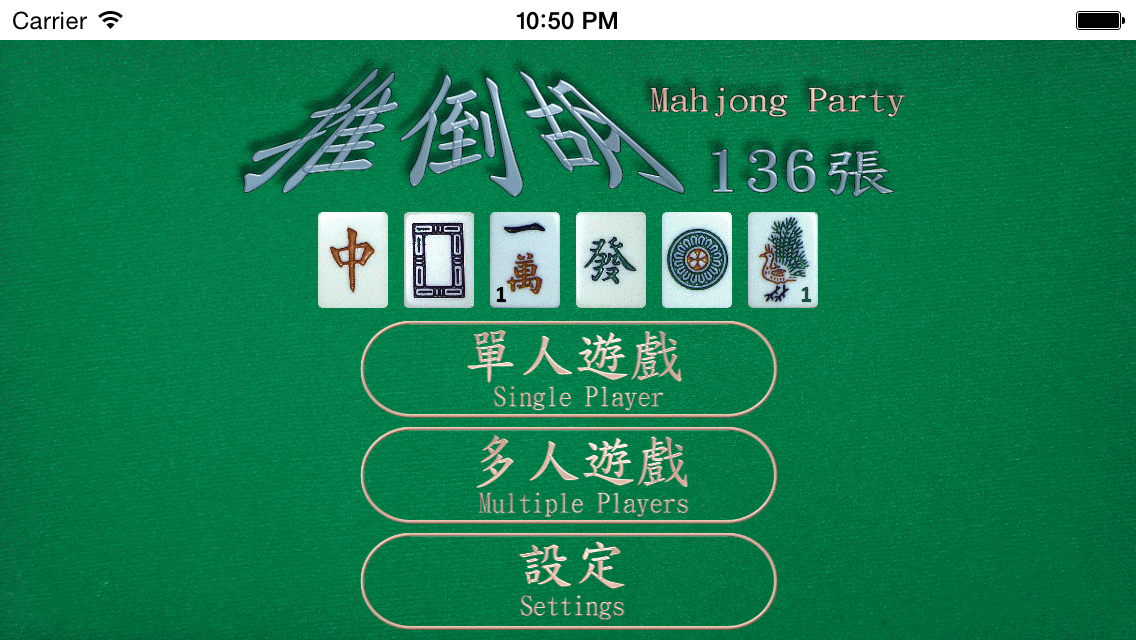
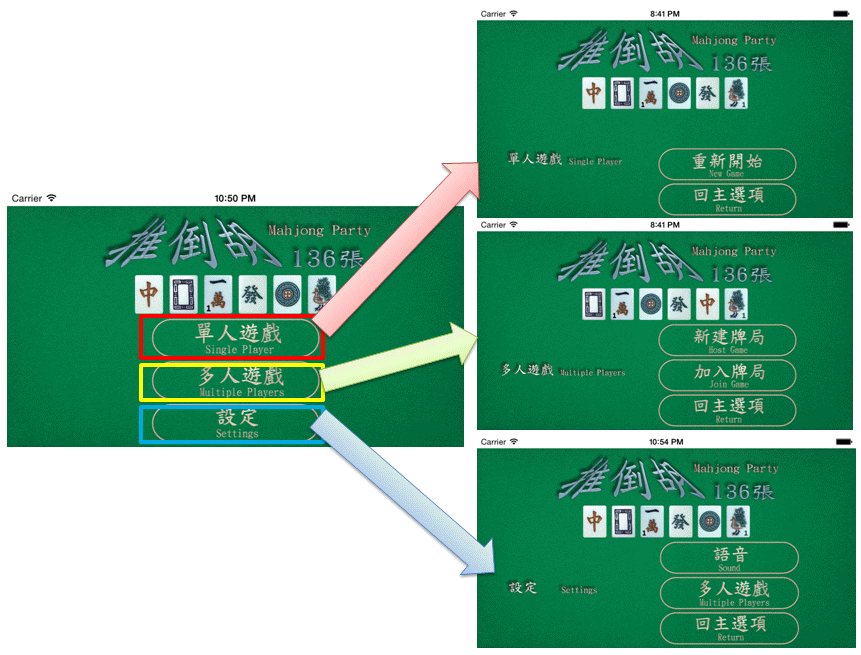
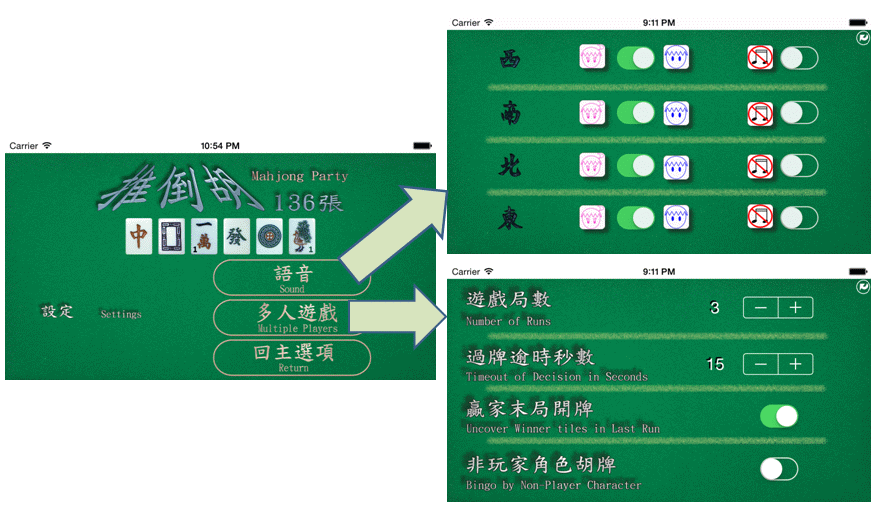
主畫面提供三個選項:1. 單人模式(Single player)、2. 多人模式(Multiple players)、3. 設定(Settings)。其中單人模式與免費版 Mahjong136 互通 Game Center 排行榜與成就;正式版更支援跨 iOS 裝置讀取你在排行榜上的最高分接力衝榜(Lite 版無此功能)。
The main menu offers three options: 1. Single player mode, 2. Multiple players mode, and 3. Settings mode. Single player shares compatible Game Center leaderboards and achievements with Mahjong136, plus cross-device high-score syncing to push for #1 (disabled in Lite).
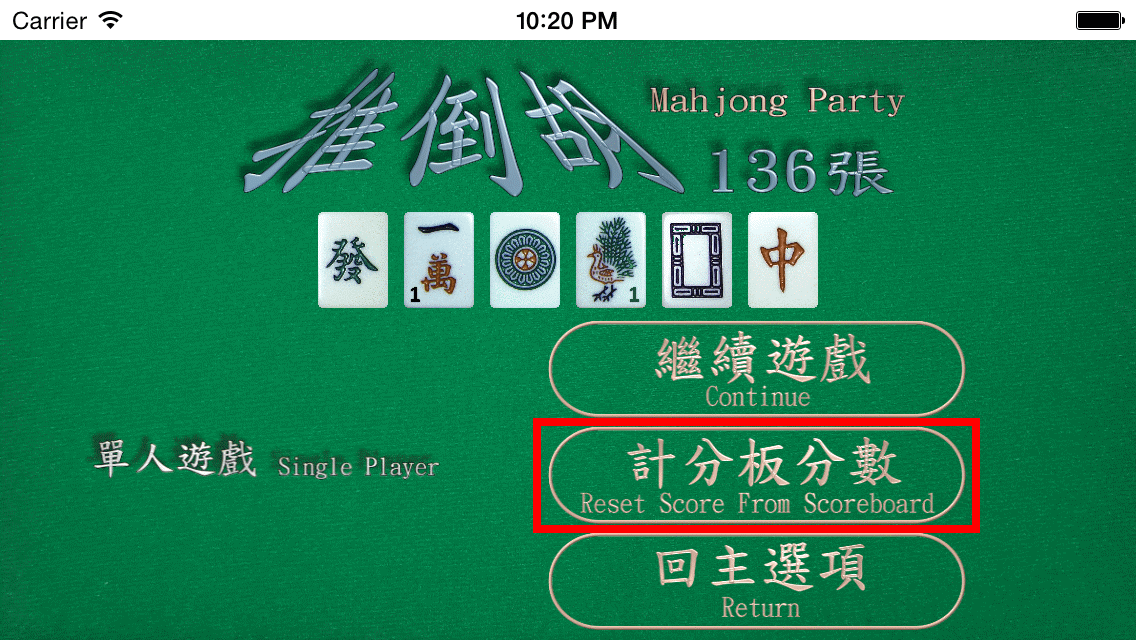
2. 設定模式:音效與多人規則微調2. Settings: Audio & Multiplayer Rules
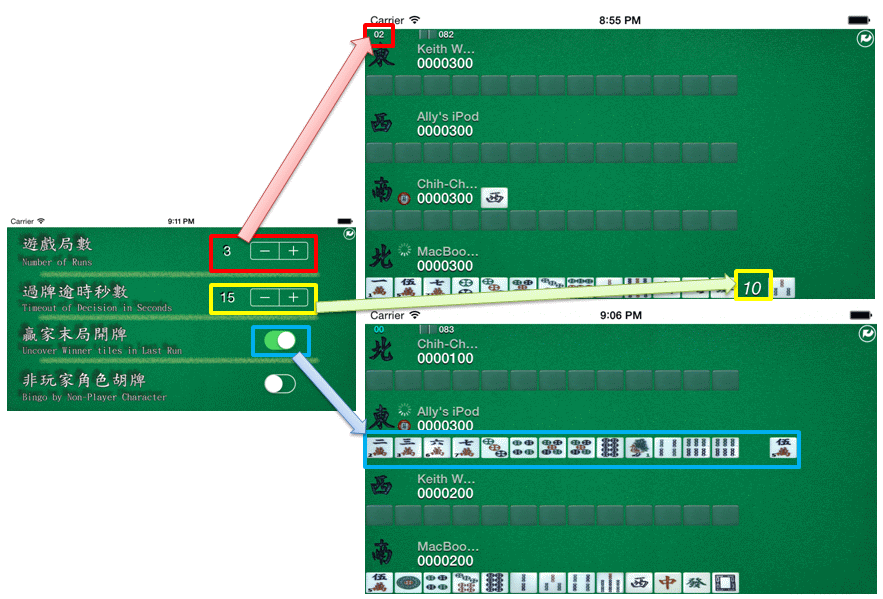
在設定頁面可調整遊戲音效,並自訂多人對戰規則:
1. 紅框:設定可進行的總局數(Lite 版固定為 1 局)。
2. 黃框:每位玩家的出牌/吃碰思考秒數。
3. 青藍框:開啟後在最後一局會亮出領先者手牌,讓落後玩家有機會上演逆轉勝(Lite 版未開放)。
Settings controls sound for both modes plus three multiplayer options:
1. Red box: Number of rounds/runs (fixed to 1 in Lite).
2. Yellow box: Decision time in seconds per turn.
3. Cyan box: Reveal the leader's tiles in the final round to enable a comeback chance (disabled in Lite).
3. 多人連線開房與結算3. Hosting, Joining & Final Results
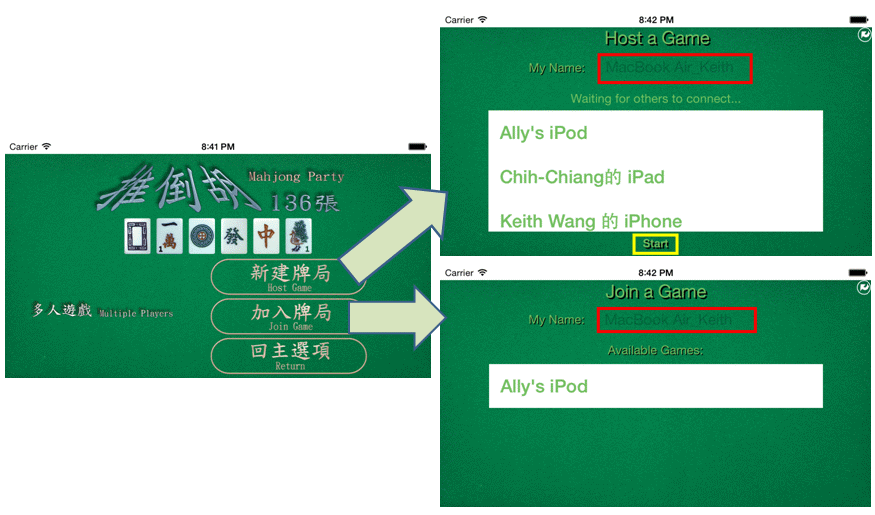
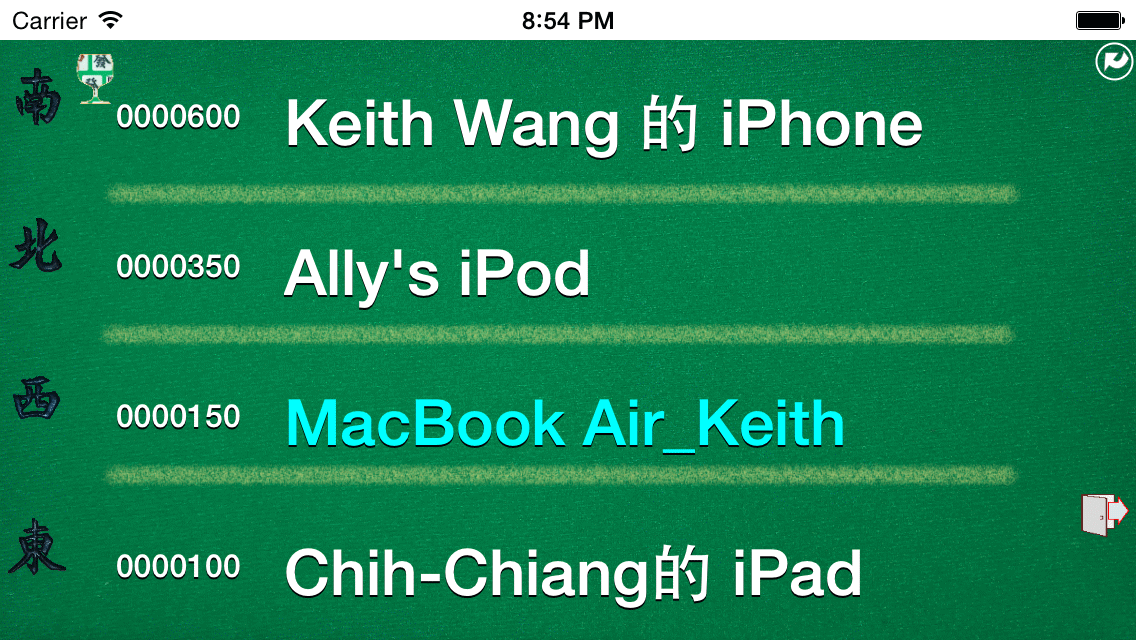
由一位玩家先「開房(Host)」決定規則,其他玩家點選「加入遊戲(Join Game)」。玩家可點選紅框更改暱稱(不可重複,也不可命名為 Computer),再點擊房主裝置名稱加入;所有裝置出現後由房主按下黃框 Start 開局。結束後系統會統計名次,其中青藍色名字代表本機玩家。
One player hosts with agreed rules while others tap Join Game. Tap the red box to set a unique player name (cannot duplicate or use Computer), select the host device, and wait for the host to press Start (yellow box). After all rounds finish, the standings highlight your device's player name in cyan.